Maisy Font Review: A Romantic Handwritten Script for Branding
There’s a moment in every branding project where you open a blank brand board and feel the weight of the creative decision ahead. That’s when I first tested Maisy—a font that felt like it had been waiting for me. As an experienced brand designer, I’ve used countless fonts over the years, but Maisy stood out not just for its beauty, but for how it fit into the rhythm of a real-world design process.
A Handwritten Touch with a Romantic Vibe
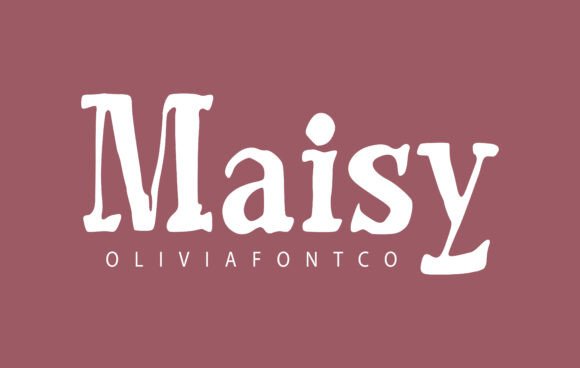
Maisy is an authentic handwritten font with a romantic touch. It carries the warmth of a personal letter, yet maintains enough structure to be professional. The strokes are fluid, almost as if they were drawn by hand, which gives it a unique charm. It’s not overly ornate, but it does have a soft elegance that makes it feel both approachable and refined.
The personality of Maisy is immediately recognizable—playful yet sophisticated, vintage yet modern. It feels like it could work on a vintage boutique sign or a contemporary boutique website. This versatility makes it a strong contender for a wide range of branding applications.
Testing Maisy in Real Branding Projects
I first used Maisy on a logo concept for a boutique identity project. The client wanted something that felt personal and inviting, and Maisy delivered. When paired with a simple sans serif body text, it created a perfect balance between the headline and the supporting information. It was clear, readable, and carried a certain charm that made the brand feel more human.
Later, I placed Maisy on a packaging mockup for a skincare product line. The font worked beautifully against the clean, minimalist design. Its romantic touch added a subtle layer of personality without overwhelming the visual hierarchy. On a business card, it looked elegant and intentional, making the brand feel more like a curated experience than a generic label.
On a social media layout, Maisy shone in headlines and captions. It had a natural flow that made the text feel less rigid and more engaging. However, I noticed that at smaller sizes, the legibility dipped slightly. This is a common issue with script fonts, so it’s important to test it in different contexts before finalizing its use.
Font Pairing and Design Applications
Maisy works best when paired with a contrasting typeface. For example, pairing it with a clean sans serif like Montserrat creates a striking contrast that highlights its handwritten nature. In web design, using it as a headline or call-to-action button can make your content stand out while maintaining readability.
For editorial design, Maisy can add a decorative flair to headers or pull quotes. In commercial design assets, it can be used as an accent font to emphasize key phrases or add visual interest to posters and flyers. However, it’s not ideal for long body text or formal corporate settings due to its stylized nature.
When designing for print-on-demand products or digital templates, it’s crucial to review the included styles, alternates, ligatures, swashes, weights, and multilingual support. These features can significantly impact how the font performs across different platforms and languages.
Practical Considerations and Licensing
Before using Maisy in client work, always check the commercial font licensing terms. Depending on the project, you may need a specific license for print, digital, or merchandise use. Ensuring compliance is essential, especially when working with clients who plan to use the font across multiple channels.
Testing is key. I recommend experimenting with Maisy in various formats—print, web, and social media—to see how it behaves under different conditions. Pay attention to how it looks on a shop sign, a product mockup, or a homepage hero section. It might look stunning in one context but less effective in another.
Also, consider the target audience. If your brand appeals to a younger demographic, Maisy’s romantic and playful vibe could resonate well. However, for more formal or corporate brands, it might not be the best fit. Always align the font with the brand’s voice and values.
Final Thoughts on Using Maisy
Maisy is more than just a font—it’s a design tool that brings personality and emotion to any project. Whether you’re working on a boutique logo, a skincare brand, or a creative studio identity, this font has the potential to elevate your work. With its romantic touch and versatile style, it’s a great addition to any designer’s toolkit.
But remember, no font is a one-size-fits-all solution. Use Maisy where it shines, and pair it thoughtfully with other typefaces to create a cohesive and impactful brand identity. And most importantly, always test it in your actual design scenarios before committing to a final project.